Hours of invoice data entry, done in minutes.
Upload your invoice photos and PDFs and InvoiceDrop automatically extracts the data into Excel and other formats.
Join the waitlist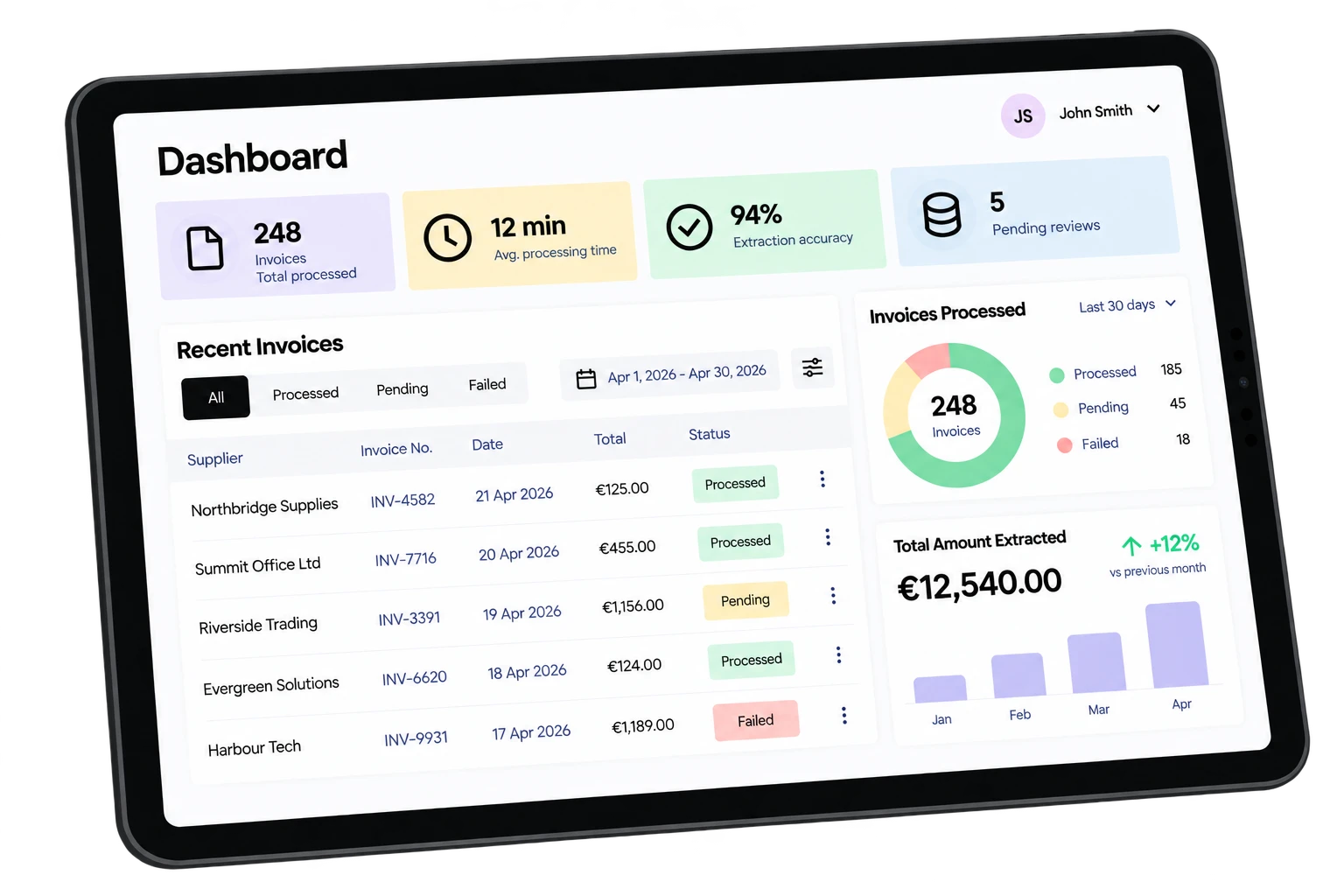
The problem with manual invoice entry
-
Time wasted
You spend hours manually entering invoice details instead of focusing on work that matters.
-
Deadline pile-ups
Your clients send invoices at the last minute, and you scramble to process it all before the deadline.
-
Boring, repetitive work
It's the same tedious process, over and over. Nobody on your team enjoys it.
We hear you. That's why we're building InvoiceDrop.
Meet InvoiceDrop
Upload your invoices and let InvoiceDrop automatically extract the data for you in a fraction of the time.
How it works
- Step 01
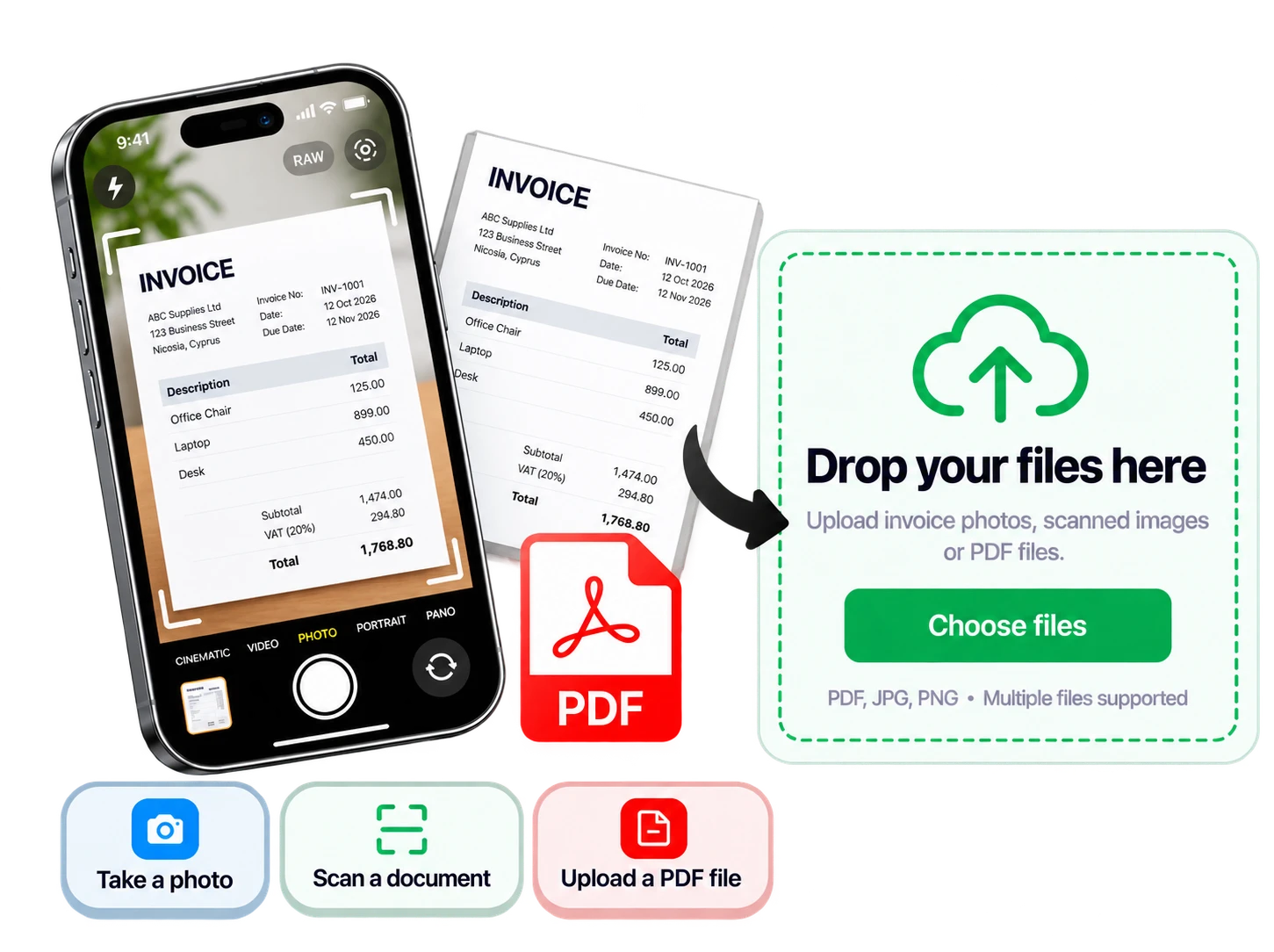
Upload your clients' documents
Upload your clients' supplier invoices and receipts as you receive them, or in bulk.
- PDFs and scanned documents
- Phone photos
- Greek and English documents
- Step 02
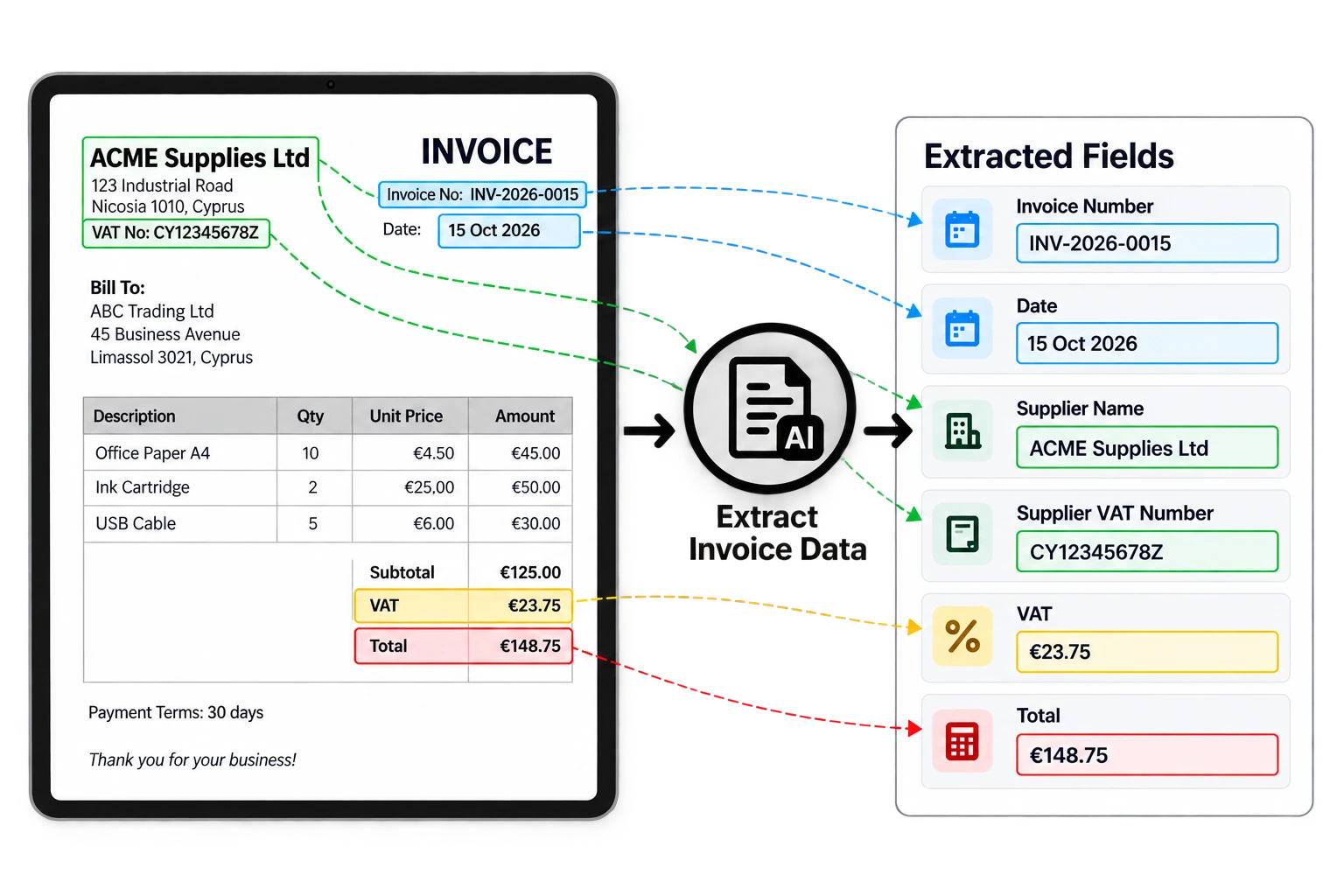
InvoiceDrop extracts and checks the data
Each document is read and checked automatically. Anything that fails a check is flagged for you to review.
- Dates, Invoice Number, Supplier Info, VAT and Invoice Total
- Tax and VAT numbers
- Duplicates and unreadable documents flagged for review
- Step 03
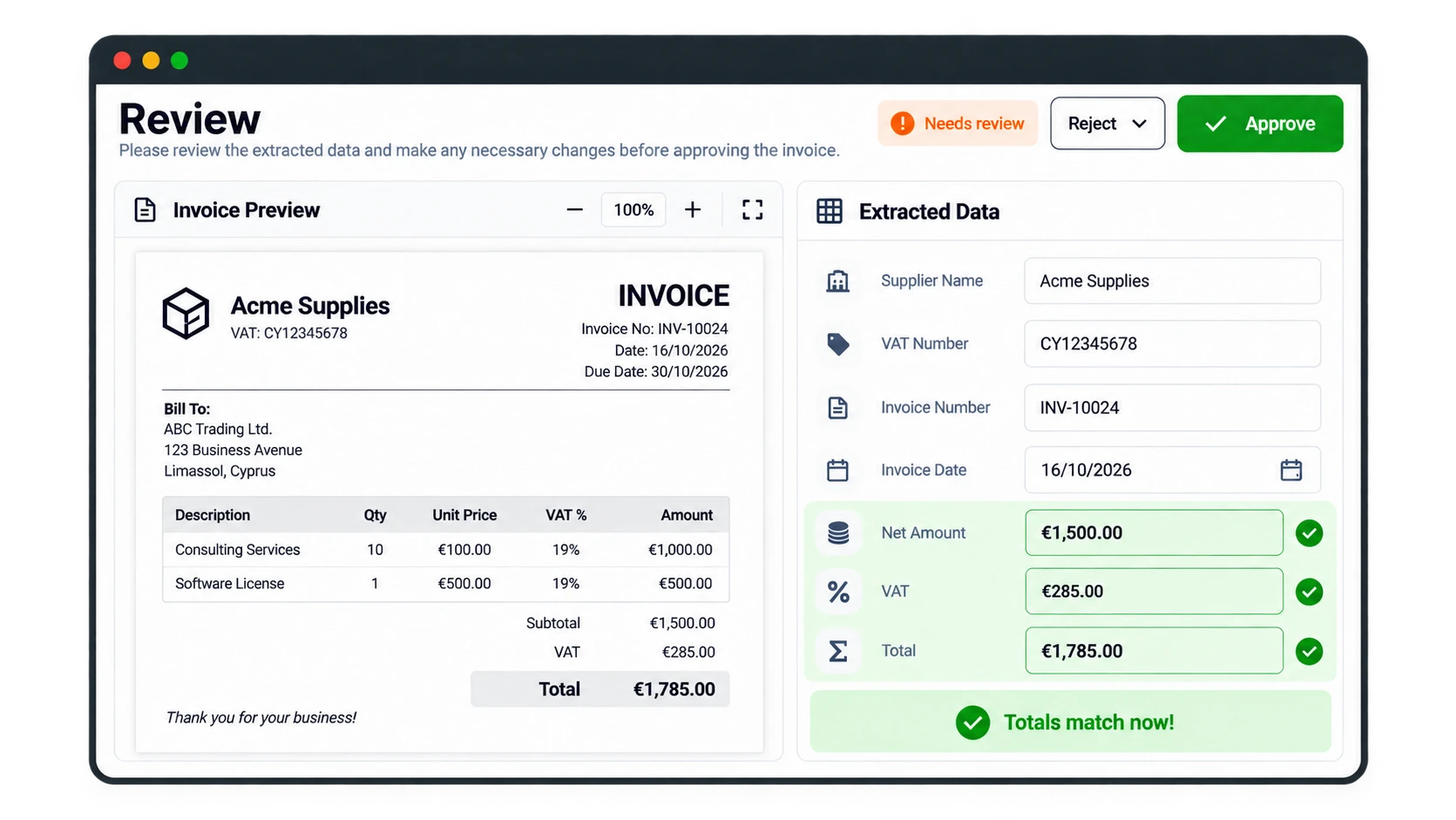
Review & Approve
Typically, only a small percentage of invoices are flagged for human review. You can easily review and compare, make changes, and reject or approve.
- Flagged invoices gathered in one list
- Original document shown beside the extracted data
- Edit any field before approving
- Step 04
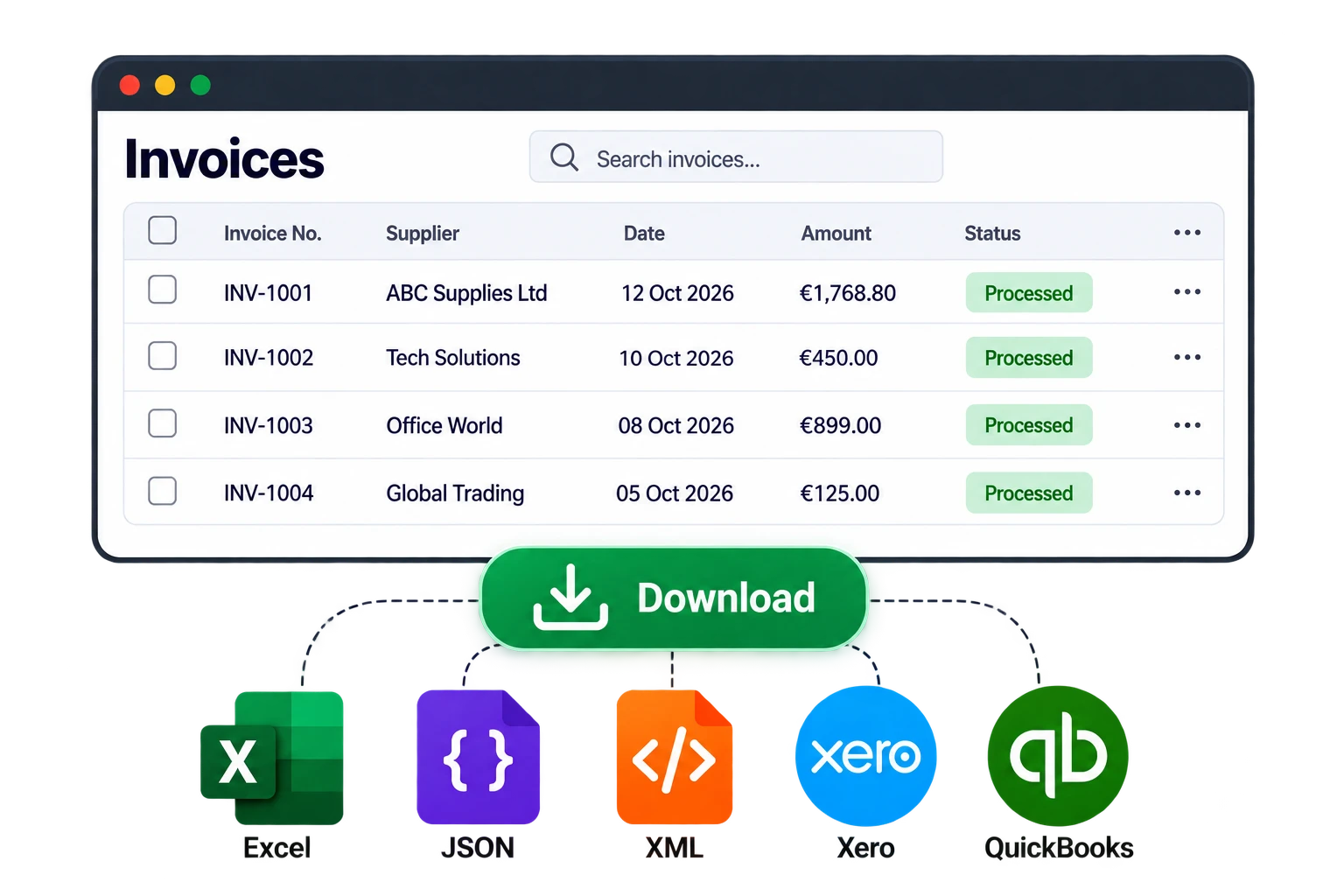
Download your file
Download your file with a list of all the invoices, including summary totals. Multiple download formats supported compatible with popular accounting software vendors
- Excel, Google Sheets, CSV, JSON, XML
- Compatible with Xero, QuickBooks, and more
Everything you need, from upload to export
- Bulk invoice uploads
- Upload PDFs, scans and phone photos
- Greek and English documents supported
- Automatic data extraction
- Review flagged invoices before export
- Excel, CSV, JSON and XML export formats
- Custom export templates
- Files ready to import into your accounting software
Join the waitlist
InvoiceDrop is in development. Join the waitlist to get early access when it's ready.
Why join the waitlist?
-
FREE to join
Joining the waitlist costs nothing. No payment details needed.
-
No obligation or commitment
Joining the waitlist doesn't commit you to anything. When InvoiceDrop launches, you can choose to subscribe only if you want.
-
Early member discount
If you choose to subscribe to a paid plan when it launches, as an early member, you'll get an exclusive discount.
-
You have a say in what we build
As an early member, we listen to your feedback and it helps shape what we build.
Frequently asked questions
When will it be available?
We estimate the first release will be ready in February 2027. Waitlist members will be invited first.
How much will it cost?
We're still finalizing our pricing, but one thing is certain: if you join the waitlist, you'll receive an exclusive discount when we launch.
Which accounting software will it work with?
Excel output from day one. Tell us your software in the form and we'll prioritise import formats accordingly.
Does it require specific invoice templates?
No. Our intelligent system automatically handles various templates. If any information is missing or needs your attention, the invoice will be flagged for review so you can check and correct the data before exporting.
Which countries do you support?
InvoiceDrop supports invoices from all European Union member states, the United States and the United Kingdom with support for both English and Greek documents.